

Client email threads contain valuable relationship intelligence. The challenge is making that context easier to understand, share, and act on. Microsoft reports that 85 percent of emails are read in under 15 seconds. The typical person also reads about four emails for every one they send.
That may be enough time to understand a simple request, but it’s rarely enough to reconstruct a long client conversation, identify what was decided, and determine what needs to happen next.
For client-facing teams, this creates a growing challenge. Important information is available, but it’s spread across replies, forwards, attachments, and changing groups of recipients. Employees may have access to the full conversation and still struggle to find the context they need.
The problem is not always a lack of customer information. Often, the information is difficult to interpret and apply.
Why Client Email Threads Need an AI Email Summary
Email remains a working record of many client relationships. A single thread may document weeks of discussion as participants share updates, ask questions, clarify expectations, and agree on next steps.
Over time, that thread can contain:
- Changes in client needs or priorities
- Decisions and commitments
- Questions that remain unresolved
- Risks or concerns that need attention
- New stakeholders and internal owners
- Follow-up actions and deadlines
Each message adds another piece of context. That context can help an advisor understand what matters to the client, what the organization has promised, and where the relationship stands.
Finding those details becomes harder as the conversation grows.
The most important decision may appear halfway through the thread. A new request may be buried beneath several rounds of scheduling. One participant may have raised a concern that others missed. A next step may have been agreed to, but never recorded anywhere else.
The information exists, but its value depends on whether teams can find and use it.
Reconstructing the Conversation Slows Work Down
When employees join an active client conversation, return from time away, or prepare for follow-up, they may need to review the full email history before taking action.
That effort may take only a few minutes for one thread, but across many clients and interactions, it becomes a significant source of friction.
It can also affect the quality of the work because employees who scan a thread quickly may miss a key detail. Different people may also reach different conclusions about what was decided, and teams may repeat questions the client has already answered or follow up without the full relationship history.
The effects can extend beyond the inbox:
- Responses take longer because employees need to rebuild the context first.
- Commitments and open items are easier to overlook.
- Handoffs depend on the previous owner explaining the conversation.
- CRM records may show that communication occurred without explaining what it produced.
- Reporting, workflows, and AI tools receive an incomplete view of the relationship.
These gaps become more important in complex or regulated environments, where client continuity, documentation, and accountability all depend on reliable records. While a captured email can confirm that an interaction happened, teams still need an accessible account of what happened within it.
Useful Summaries Surface What Changes the Work
An effective summary goes beyond shortening a conversation, helping readers quickly understand both the current state of the relationship and decide what to do next. It should identify the details that change the work, including:
- The main subject of the conversation
- Key decisions and commitments
- Important risks or concerns
- Questions and open items
- Agreed next steps
- The people responsible for follow-up
This means that a generic summary falls short of being useful because while it may reduce the number of words an employee needs to read, it does not provide the clarity needed to take action.
The strongest summaries organize the conversation around outcomes. They help employees see where the discussion started, what changed, and where it ended. They also make important context easier to share with colleagues who were not part of the original thread.
The goal is not to replace the source conversation. It is to make that conversation easier to understand and apply.
AI Can Make Existing Context More Accessible
AI-assisted summarization gives organizations a practical way to reduce the effort required to review long email chains. Instead of asking employees to manually reconstruct each conversation, AI can identify key points and present them in a format that is easier to scan. Employees can catch up faster, prepare for the next interaction, and spend more time responding to the client’s needs.
Research from Microsoft has already shown signs of this effect. Across several organizations, reduced time in email was the largest statistically significant change observed among employees using AI. Microsoft linked that result partly to summarization features that helped users move through long email chains more efficiently.
The opportunity extends beyond individual productivity.
When a summary is connected to the right relationship record, it can help make client context more consistent across teams. An advisor can prepare without starting from the beginning. A colleague can step into a conversation with a clearer understanding of what came before. A manager can review the outcome without opening every message.
Summarization can also make captured communication more useful to the systems that support the relationship. CRM workflows, reporting, and AI tools all work better when they can draw from clear, relevant context rather than isolated activity records.
What Enterprise Email Summarization Should Deliver
Email summarization must fit the way the organization manages client information. Adding another disconnected tool or destination may only move the context problem somewhere else.
An enterprise approach should support five priorities.
Meaningful Context
The summary should highlight decisions, commitments, risks, open items, and next steps. Teams need an account of what changed, not a shortened transcript of every message.
Connection to the Client Record
Email insights become more useful when they are available alongside the right CRM records. This helps employees understand the conversation as part of the broader client relationship.
Clear and Reviewable Outputs
AI-generated content should be easy for users to evaluate. Employees still bring the judgment needed to interpret client expectations, confirm accuracy, and determine the right response.
Governance and Control
Organizations need to manage email summarization according to their policies for data access, capture, privacy, retention, and security. The same controls that guide email activity should continue to apply when AI helps interpret it.
Alignment With Existing Workflows
Summarization should reduce steps rather than introduce new ones. Employees should not have to move between applications or manually copy the results into other systems to make them useful.
Together, these principles help turn summarization into a practical part of client work rather than another isolated AI capability.
Make the Information You Already Have More Useful
Organizations already hold a significant amount of customer intelligence in email. Every question, decision, commitment, and follow-up adds to the story of the relationship.
Collecting that information is only the beginning.
Teams also need a clear way to understand it, connect it to the right client records, and apply it during future interactions. When important context is easier to access, employees can respond with greater confidence, maintain continuity across teams, and keep client work moving.
Long email threads do not need to remain difficult records that employees repeatedly reconstruct. With the right approach, they can become a more accessible source of relationship intelligence.

Turn Email Conversations Into CRM-Ready Context With Riva
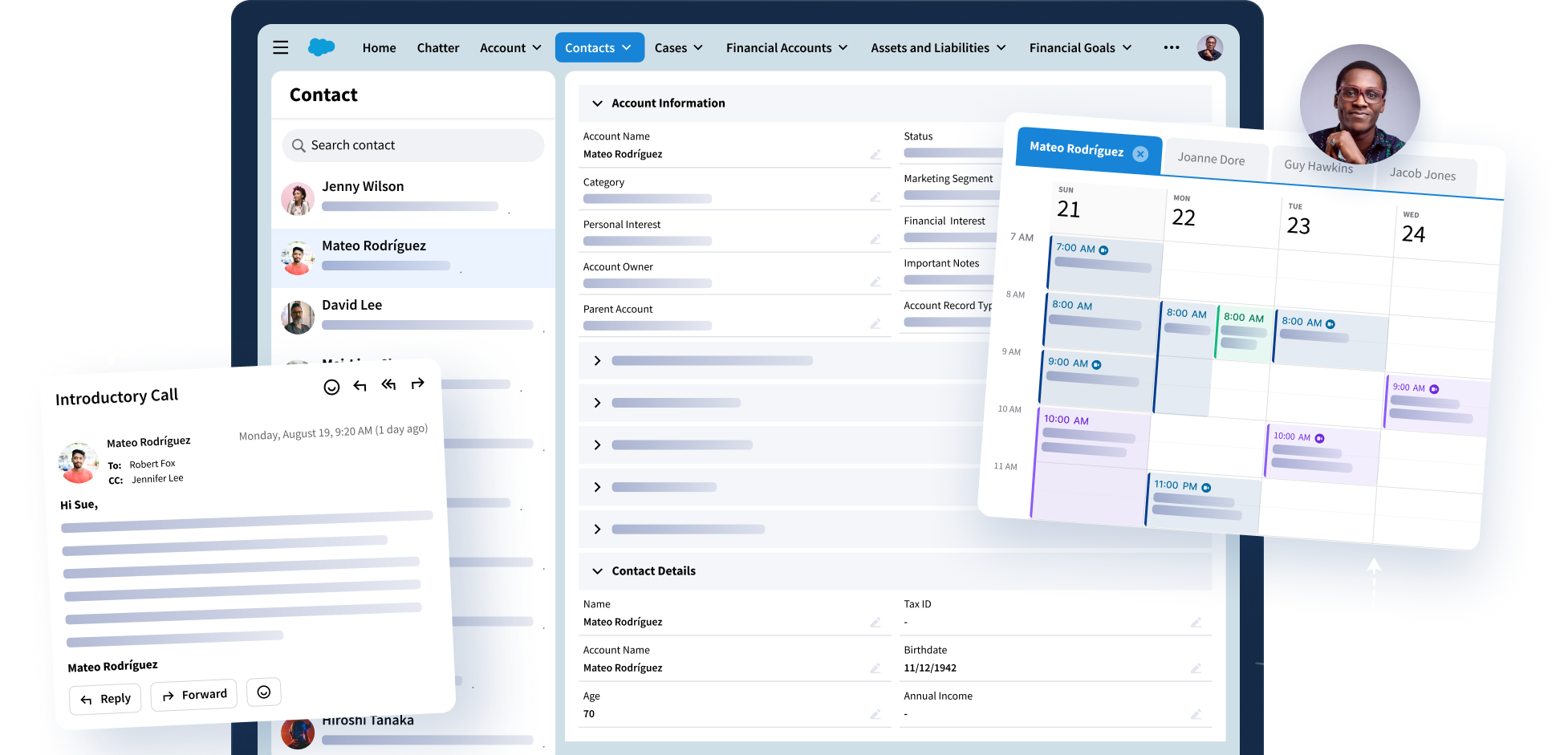
With Riva’s latest update, Email Summary builds on Riva Email Capture to make synchronized client conversations easier to understand and apply. Riva turns long email threads into concise summaries of key points, decisions, and next steps, making that context available with the appropriate CRM records.
Teams gain a clearer view of client conversations without reviewing every message, while organizations continue to apply the capture, routing, and governance policies that support accurate and trusted CRM data.
See how Riva Email Capture turns client conversations into clear, CRM-ready context.