

Client-facing teams spend a lot of time preparing for meetings. Some of that preparation is strategic. Teams review goals, account plans, opportunities, open issues, and the next best step in the relationship. But too much preparation is spent on reconstruction.
Before a client meeting, a relationship manager may scan past emails, review customer relationship management (CRM) records, search meeting notes, check old transcripts, ask colleagues for updates, and rely on memory to understand what happened last. After the meeting, that same person may need to summarize what was discussed, document next steps, update CRM activity, and brief other team members.
When this happens once, it feels like normal admin work. When it happens across every meeting, every client relationship, and every handoff, it becomes a business problem.
Client context should not have to be rebuilt from scattered information before every interaction. High-performing teams need a better way to carry the relationship story forward.
That is where CRM-connected meeting intelligence can help.
Meeting intelligence is most valuable when it does more than generate a meeting recap. It should help turn client conversations into structured, usable relationship context that connects to the CRM and broader interaction history. When meeting outputs are connected to the systems teams already use, leaders can support better preparation, stronger follow-through, smoother handoffs, and more consistent client coverage.
Why Client Context Breaks Down Across Teams
Client interactions rarely live in one place. A single relationship may include meeting notes, email threads, CRM activities, call summaries, calendar events, personal notes, transcripts, tasks, proposals, service updates, and informal team knowledge. Different people may own different parts of the relationship. One person may remember the client’s priorities. Another may know the latest risk. Someone else may have captured the next step for a follow up in a private note.
This creates a fragile model for client relationship management.
The team may have the information, but that does not mean the information is easy to find, easy to trust, or easy to use. When context is split across systems and people, teams can lose time answering basic questions:
- What did we discuss last time?
- What did the client ask us to do?
- Who owns the next step?
- Were there any concerns or risks?
- What has changed since the last meeting?
- What does the broader relationship history tell us?
For leaders in sales, wealth management, commercial banking, insurance, professional services, and customer success, those gaps can affect productivity and even relationship continuity.
A client should not have to repeat the same context to a new team member. A leader should not have to chase updates across multiple systems to understand account health. A handoff should not depend on one person’s memory. A long sales cycle should not lose momentum because key details were captured in a transcript but never connected to the CRM.
This is why customer context matters. In relationship-driven businesses, context is what helps teams prepare with confidence, follow through on commitments, and show clients that the organization understands the full relationship.
How a Customer Interaction Timeline Supports Better Preparation
A customer interaction timeline gives teams a clearer view of what happened across the relationship.
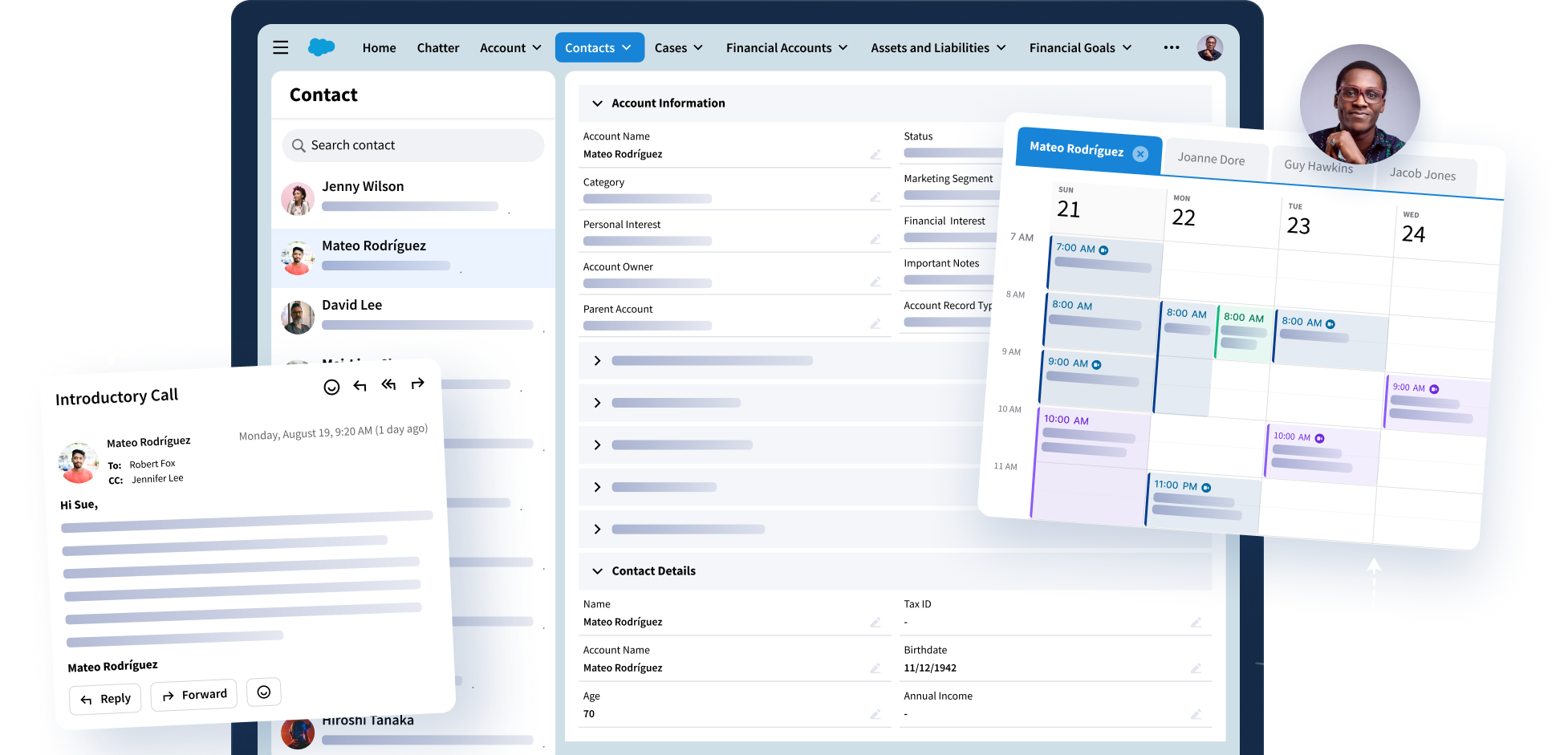
Instead of preparing for a meeting by searching through disconnected sources, teams can review a more complete sequence of interactions. Meetings, emails, CRM activities, notes, follow-ups, and related context can work together to show the relationship story.
That matters because meeting preparation is rarely about one meeting. It is about the full arc of the client relationship. A commercial banking team may need to understand past conversations before a portfolio review. A wealth team may need to see recent client concerns before an advisor transition. A professional services team may need to review open commitments before a steering committee meeting. A customer success team may need to connect meeting feedback with adoption risks, renewal discussions, and outstanding action items.
When the interaction history is fragmented, preparation slows down. Teams spend time searching, comparing, and validating. They may walk into a meeting with partial information or rely on the person who “knows the account” to fill in the blanks.
A connected timeline changes the preparation process. It helps teams understand what was said, what was decided, what remains open, and what needs attention next.
That does not remove human judgment. It gives client-facing professionals a stronger starting point.
Recommended Reading: The Enterprise Challenge of Meeting Intelligence: Capture, Governance, and Trust
Why Meeting Intelligence Works Best When It Connects to CRM
AI meeting summaries can be useful. They can help teams review what happened without reading a full transcript. They can capture key points, next steps, and follow-ups faster than manual notes alone.
But a summary that sits outside the CRM still leaves teams with work to do. Someone still has to copy details into the right record. Someone still has to connect the meeting to the right contact, account, opportunity, case, or client relationship. Someone still has to make sure the next step is visible to the people who need it.
When that does not happen, the organization gains another content source without solving the client context problem.
Meeting intelligence becomes more valuable when it connects meeting outputs to CRM workflows. That connection helps turn meeting activity into relationship intelligence that teams can use in their daily work.
CRM-connected meeting intelligence can help teams capture more consistent summaries, notes, key decisions, highlights, next steps, and follow-ups. It can also help link those outputs to relevant contacts and client records so the information is easier to find after the meeting.
For business leaders, this matters because CRM quality is not only a systems issue. It affects how teams manage relationships.
If meeting insights do not reach the CRM, leaders may lack visibility into what is happening across key accounts. Managers may struggle to understand relationship risk. New team members may not have the history they need. Follow-up may vary by individual habits instead of a shared operating model.
When meeting intelligence supports CRM-connected workflows, client conversations become part of the relationship record.
Further Reading: What Regulated Industries Need from AI Meeting Summary Tools
How Relationship Continuity Improves Follow-Up And Account Handoffs
Relationship continuity is especially important in long-cycle, complex, or high-value client relationships.
Many client relationships involve multiple stakeholders, multiple meetings, and multiple internal team members. Over time, people change roles, coverage models shift, accounts move between teams, and new specialists enter the relationship. Without a reliable way to preserve context in the CRM and interaction history, each transition creates risk.
That risk shows up in practical ways.
A new relationship manager may need to ask the client for information the organization already has. A sales leader may not see that a key objection came up in a prior meeting. A professional services team may miss a commitment made during a previous review. A customer success leader may see the renewal date but not the client concerns discussed over the last quarter.
These moments can weaken trust. Strong handoffs depend on more than a final transition note. They depend on a living record of client conversations, decisions, concerns, and next steps. Meeting intelligence can help by making those details easier to capture and connect to the broader relationship history.
The same is true for follow-up. After a meeting, the difference between a strong client experience and a weak one often comes down to execution. Did the team document the right next steps? Did the right person take ownership? Did the client receive the promised update? Did the account team understand what changed?
CRM meeting notes and AI meeting summaries can support that process when they are structured and connected. They help teams move from conversation to action without relying on scattered notes or memory.
For leaders, this creates better visibility into follow-through. It becomes easier to see where commitments were made, where next steps are open, and where a relationship may need attention.
Find What’s Blocking Your Meeting Intelligence Workflow
Where is your meeting intelligence workflow losing value, creating risk, or adding manual effort?
Use Riva’s quick online assessment to identify the gaps that may be limiting meeting capture, governance, output quality, CRM visibility, AI control, and relationship continuity.
Based on your results, you’ll see where your biggest risks and opportunities are, with guidance to help you improve meeting capture, strengthen governance, support human review, and connect trusted meeting intelligence to CRM.
What a Unified Interaction History Gives Business Leaders
Business leaders need more than individual meeting summaries. They need a clearer view of the full relationship.
A unified interaction history can help leaders understand patterns across client-facing work. It can show how teams are engaging clients, what topics are coming up, where risks are emerging, and whether follow-up is happening consistently.
This supports better decisions at multiple levels.
At the team level, managers can coach more effectively when they can see recent conversations, meeting outcomes, and next steps. At the account level, leaders can understand relationship momentum, open commitments, and possible gaps in coverage. At the business level, organizations can improve visibility into client needs, service quality, and relationship health.
This is where customer relationship intelligence becomes a business asset. When interaction data is scattered, leaders see fragments. When meeting intelligence connects to CRM activity and relationship history, leaders get a more complete view of what is happening across client-facing teams.
That view can support stronger client coverage, better account planning, and more consistent execution. It can also reduce the manual reporting burden on frontline teams because more context is captured through the natural flow of meetings and follow-up.
The result is not just cleaner documentation. It is a better operating model for client relationships.
Further Reading: 5 Ways to Make AI Meeting Transcripts More Actionable in Your CRM
Bring Meeting Intelligence Into CRM-Connected Workflows
Client-facing teams should not have to reconstruct the client story before every meeting, follow-up, or handoff.
Meeting transcripts and AI meeting recaps are helpful starting points, but they create the most business value when they become structured, CRM-connected relationship context. Teams need meeting outputs that connect to the right records, support a customer interaction timeline, and contribute to a unified interaction history.
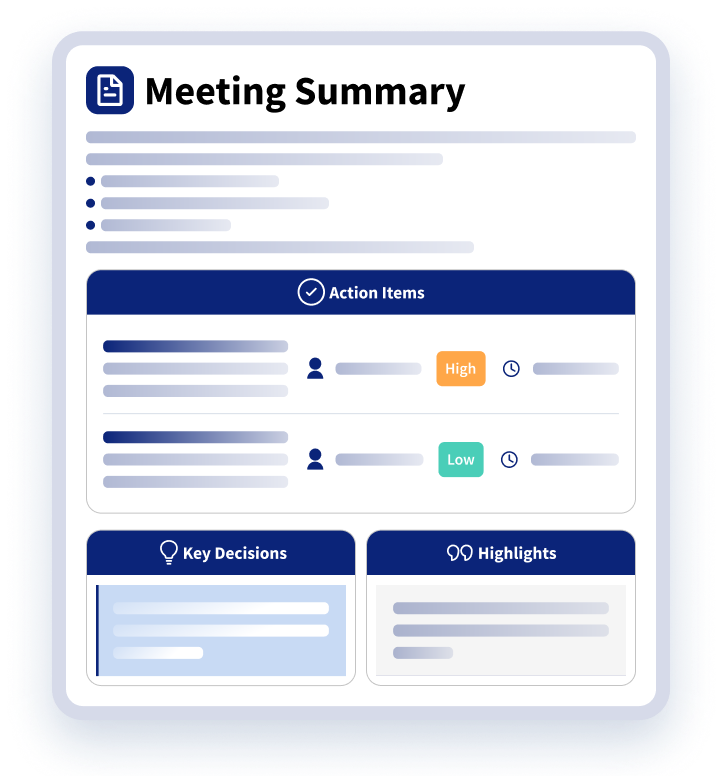
Riva Meeting Intelligence helps teams turn approved Microsoft Teams and Zoom meeting transcripts into summaries, notes, key decisions, highlights, next steps, and follow-ups. It helps connect those outputs to relevant contacts and client relationship activity so teams can bring meeting context into CRM-connected workflows.
For business leaders, that means client-facing teams can spend less time rebuilding context and more time moving relationships forward.
For CRM, RevOps, sales operations, and IT stakeholders, it means meeting intelligence can support the systems where work already happens.
And for clients, it can help create a more consistent experience across meetings, teams, and transitions.
The strongest client relationships are built over time. The context that supports those relationships should move forward with them.
To assess your current workflow, download From Meeting Notes to Meeting Intelligence: A Regulated Enterprise Guide to AI for Client Meetings and use the readiness checklist to identify gaps across capture, consent, governance, CRM readiness, and adoption.
Questions? We Have Answers
Why does customer context get lost between meetings?
Why does customer context get lost between meetings?
Customer context gets lost when meeting notes, emails, CRM activities, transcripts, tasks, and personal knowledge are spread across different systems and people. Even when the information exists, teams may not know where to find it, whether it is current, or who owns the next step.
That creates extra work before every meeting, follow-up, or handoff. Teams may have to rebuild the relationship story instead of moving it forward.
What is a customer interaction timeline?
What is a customer interaction timeline?
A customer interaction timeline is a connected view of the meetings, emails, CRM activities, notes, follow-ups, and related context that make up a customer relationship.
It helps teams see what happened, what was decided, what remains open, and what needs attention next. Instead of preparing from scattered sources, teams can review the relationship history in a more complete and usable way.
How does Riva Meeting Intelligence help preserve customer context?
How does Riva Meeting Intelligence help preserve customer context?
Riva Meeting Intelligence helps turn approved Microsoft Teams and Zoom meeting transcripts into summaries, notes, key decisions, highlights, next steps, and follow-ups.
It helps connect those meeting outputs to relevant contacts and client relationship activity so teams can bring meeting context into CRM-connected workflows. That makes important customer context easier to find, use, and carry forward across meetings, teams, and transitions.
How can organizations improve customer handoffs between teams?
How can organizations improve customer handoffs between teams?
Organizations can improve customer handoffs by making sure important meeting context is captured, structured, and connected to the right CRM records.
Strong handoffs should include recent conversations, decisions, risks, open commitments, next steps, and ownership details. When that information is available in a shared interaction history, new team members can get up to speed faster without relying on memory, scattered notes, or one-time transition updates.
How does preserving customer context improve meeting preparation?
How does preserving customer context improve meeting preparation?
Preserving customer context gives teams a stronger starting point before each meeting. They can quickly review recent conversations, open action items, client concerns, decisions, and changes in the relationship.
That helps client-facing teams spend less time searching for background information and more time preparing for the right conversation. It also helps them show up with more confidence, continuity, and awareness of what matters to the customer.