Capture Activity. Improve Client Engagement. Reduce Advisor Friction.
Riva captures client interactions across emails, meetings, and calendars, enriching your CRM and bringing context to your inbox. You get accurate data for AI tools, fewer manual steps, and more time to focus on what matters: client relationships.
Use Cases
How Leading Enterprises Create Impact With Riva
Capture Activity
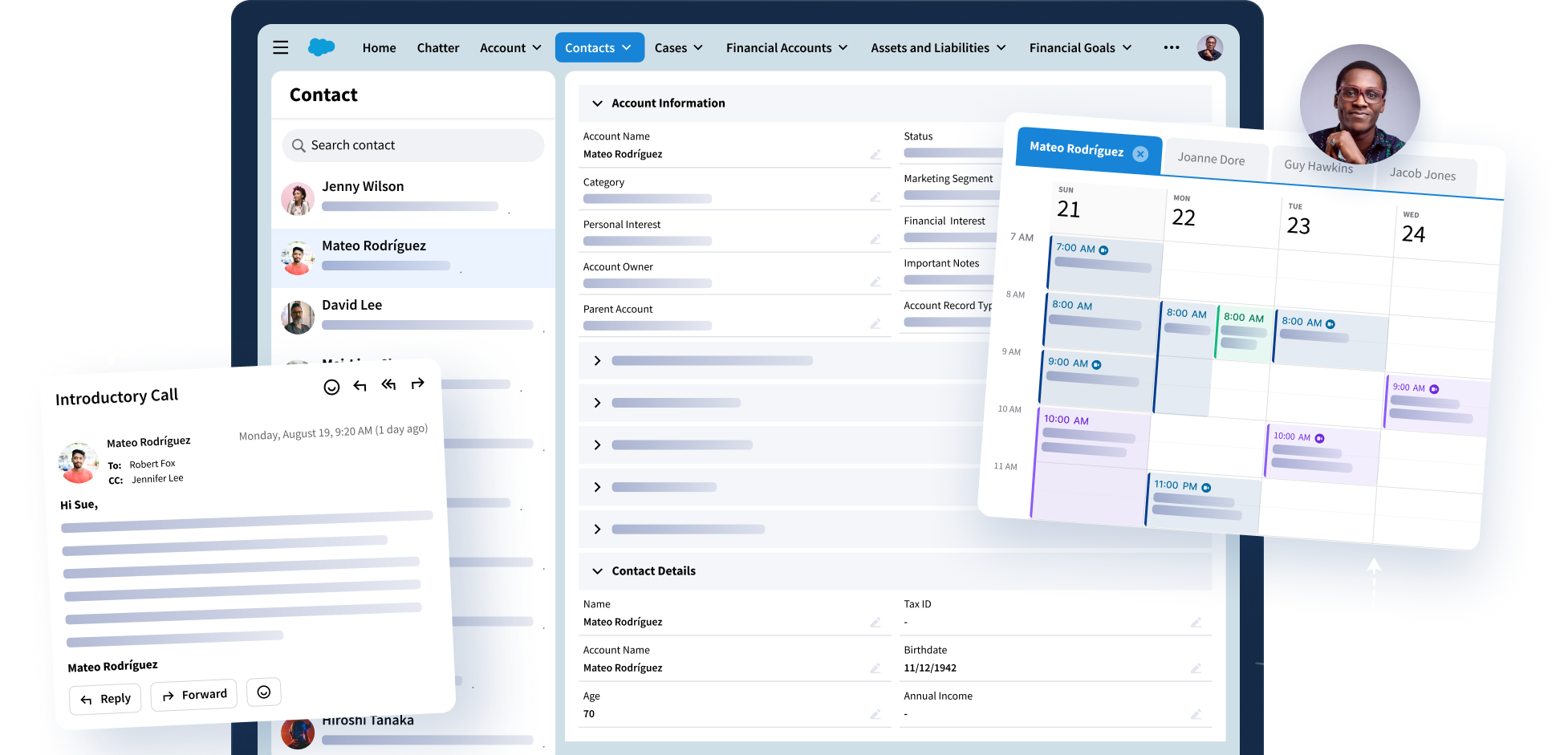
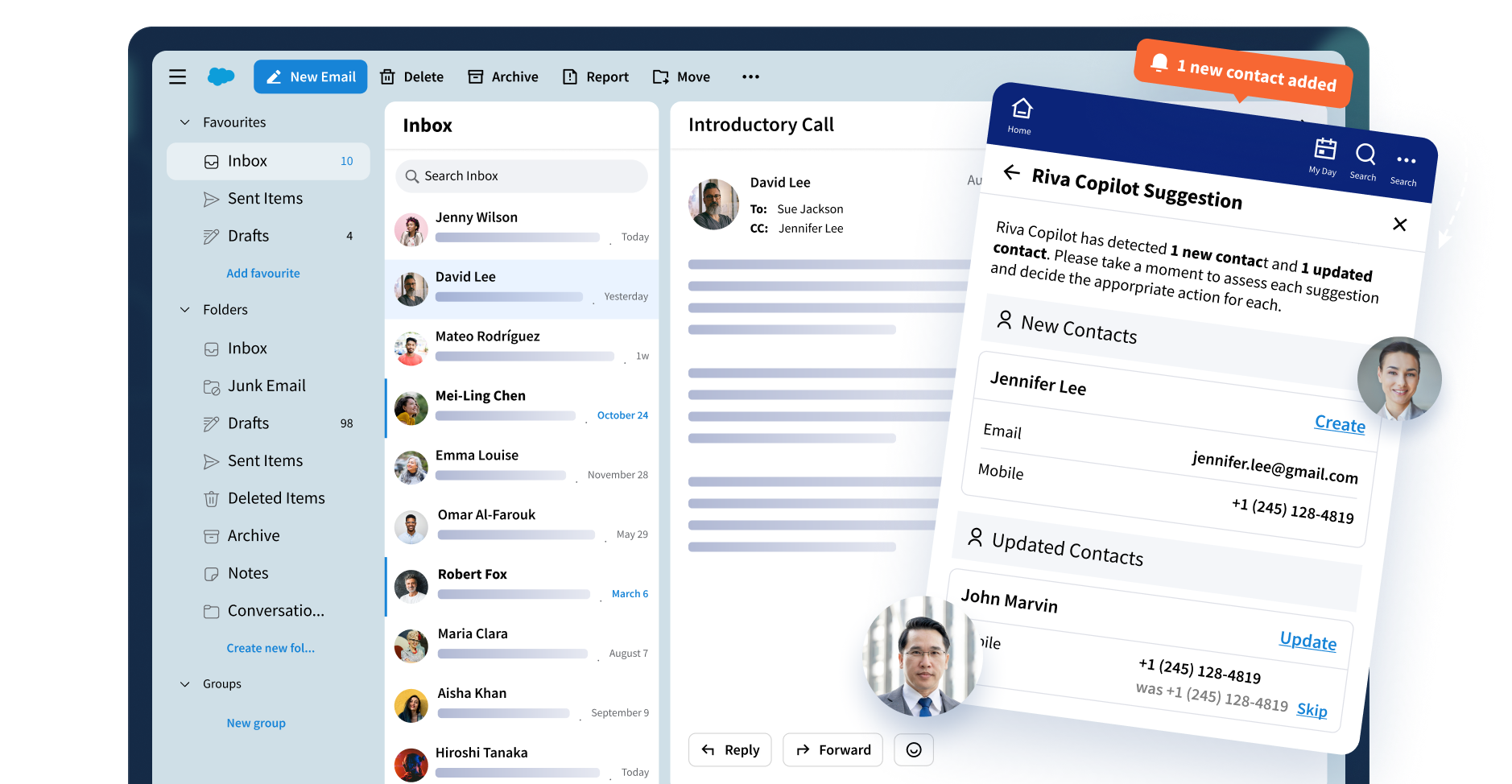
Riva collects emails, meetings, and calendar updates as they happen, and routes them to the right place in your CRM. No toggling tabs or chasing down context. Just accurate, connected data your team can rely on.
Key modules:
- Email Capture
- Calendar Sync
Access Insights
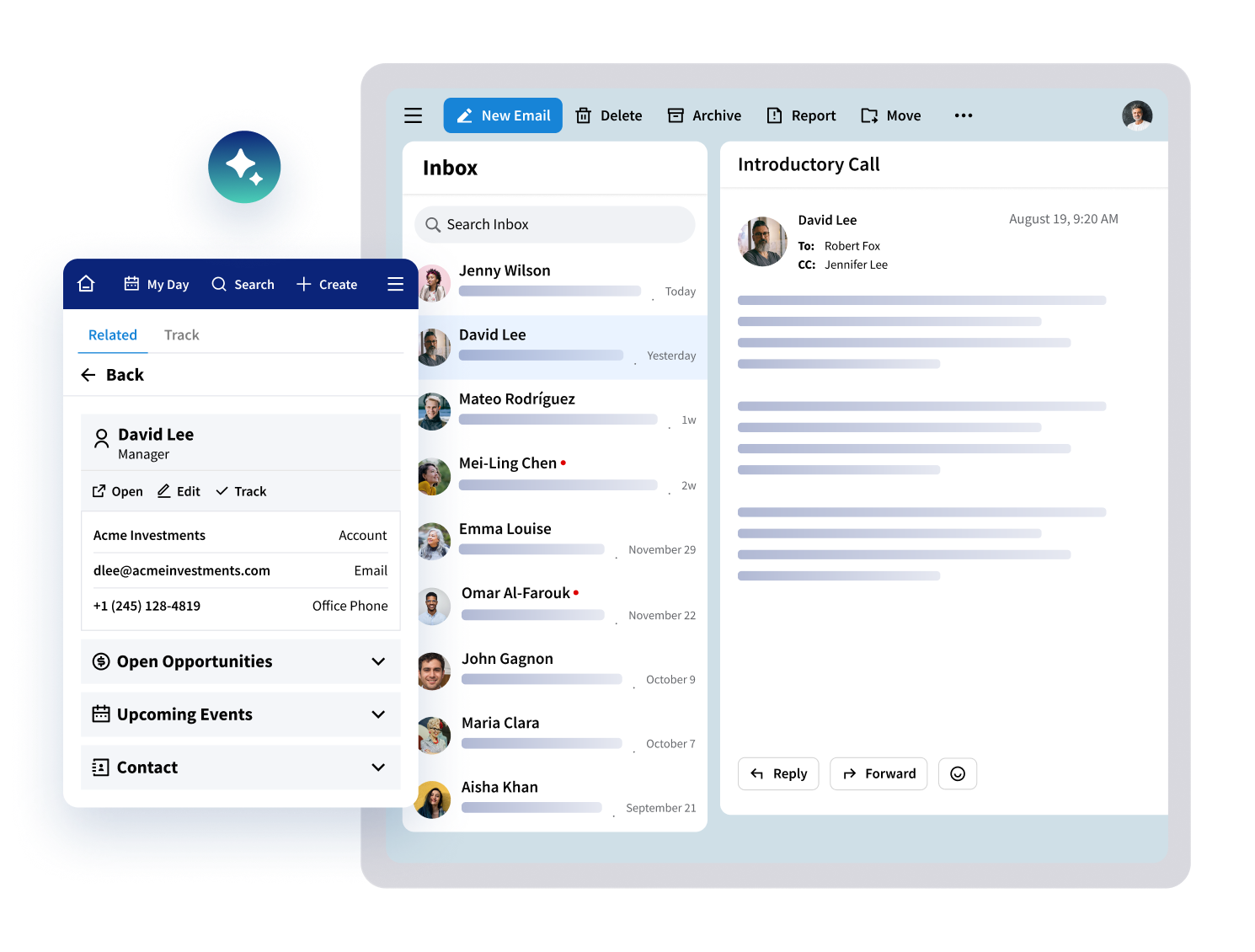
Work faster with the context you need, right where you are. Riva surfaces CRM details in your inbox and calendar, so you can review and action intelligence, without switching tools.
Key modules:
- Email Capture
- Calendar Sync
- Insight Side Panel
Automate Scheduling
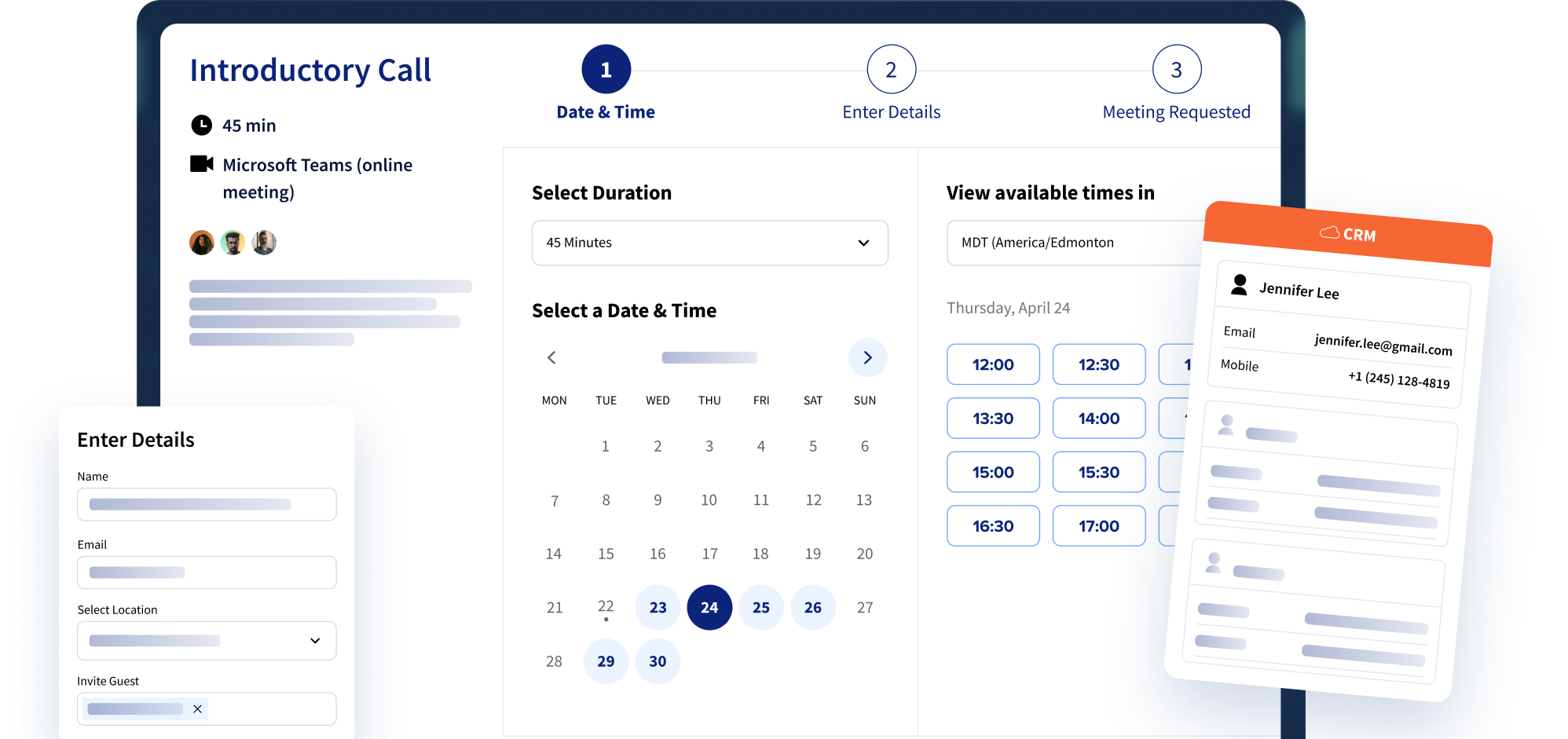
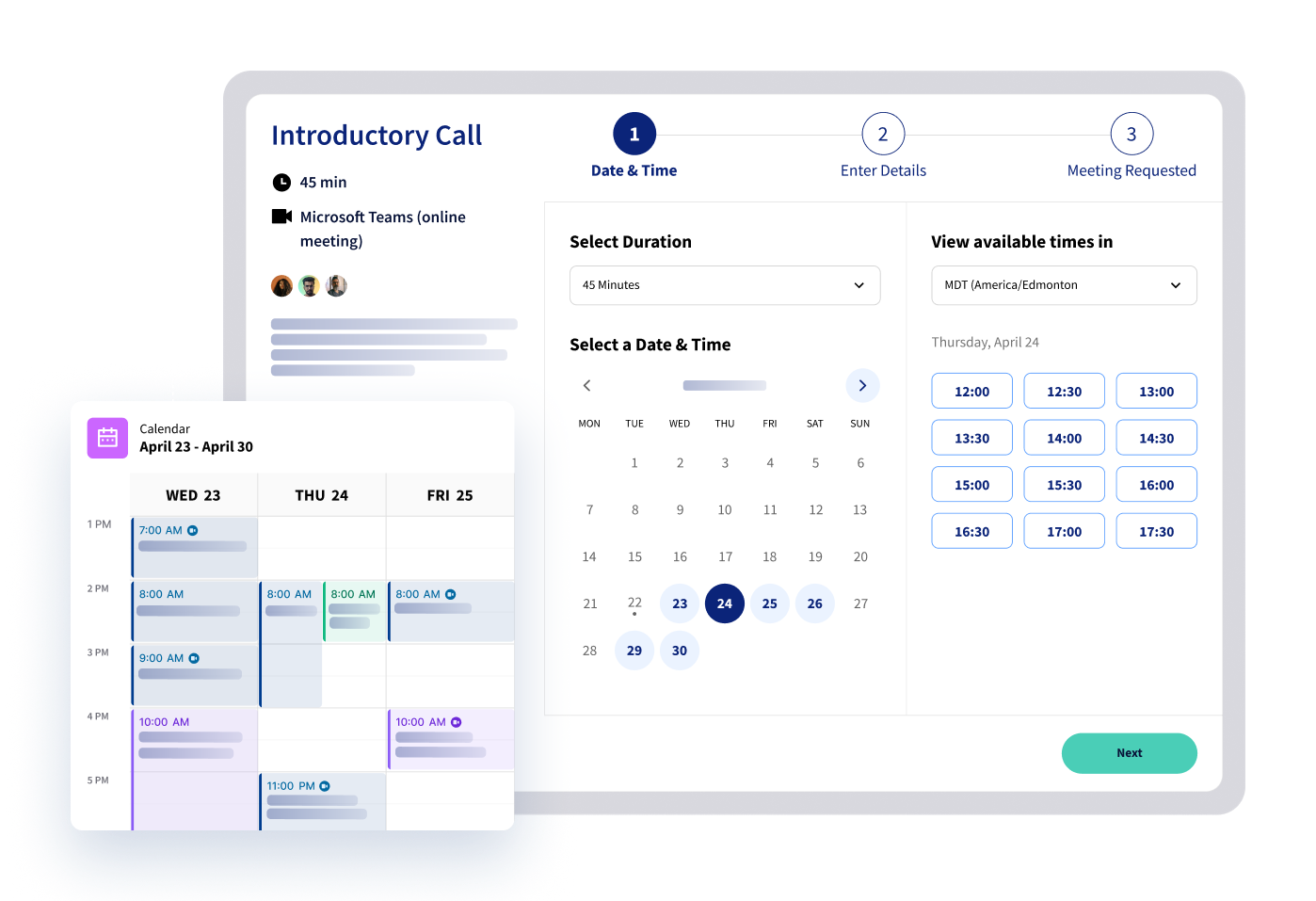
Riva eliminates back-and-forth scheduling by pulling real-time advisor availability from your CRM and presenting it to clients in a personalized interface. Scheduling simplifies how you manage team availability and frees you to focus on preparing impactful meetings.
Key modules include:
- Calendar Sync
- Scheduling
Engage Clients
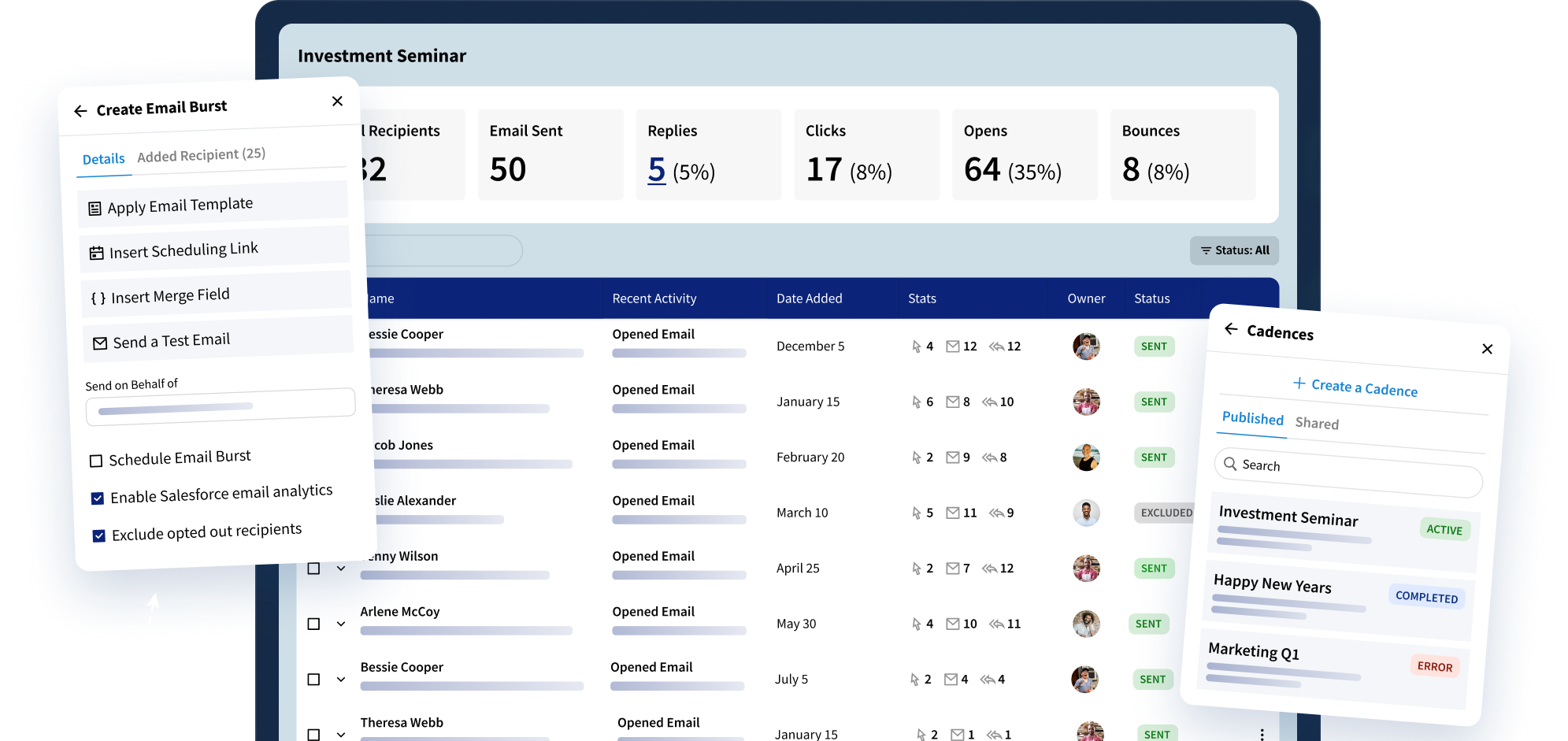
Send outreach that feels personal, even at scale. Build emails in minutes, schedule outreach through automated cadences, and measure performance to improve every round.
Key modules:
- Email Bursts
- Email Templates
- Sales Cadences
Track Emails
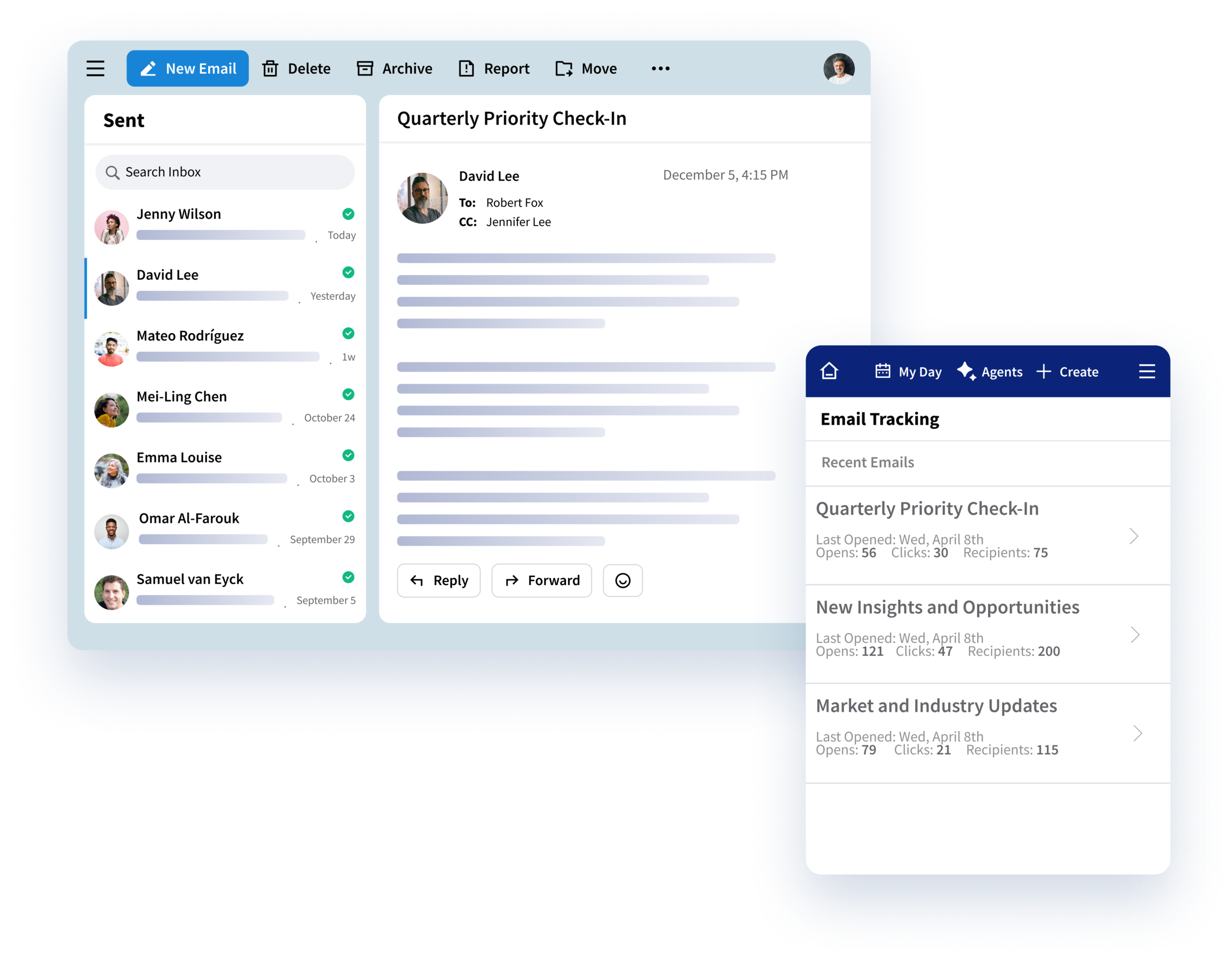
With Email Tracking, get a clear view of how clients engage with your outreach using more reliable engagement reporting. Follow up at the right time, measure what is working, and improve every round.
Key modules:
- Sales Cadences
- Insight Side Panel
Our Suites
Capture Customer Activity
and Engage at Scale
Activity Capture
Email Capture
Email Capture
Capture emails as they hit your inbox, connect them to the right CRM records, and make email conversations and threads easier to understand with AI-generated summaries. Keep client context accurate, accessible, and current without manual work.
- Collect email activity automatically
- Summarize email threads with AI
- Control what you capture
- Send data to CRM objects
- Sync historical data
Calendar Sync
Calendar Sync
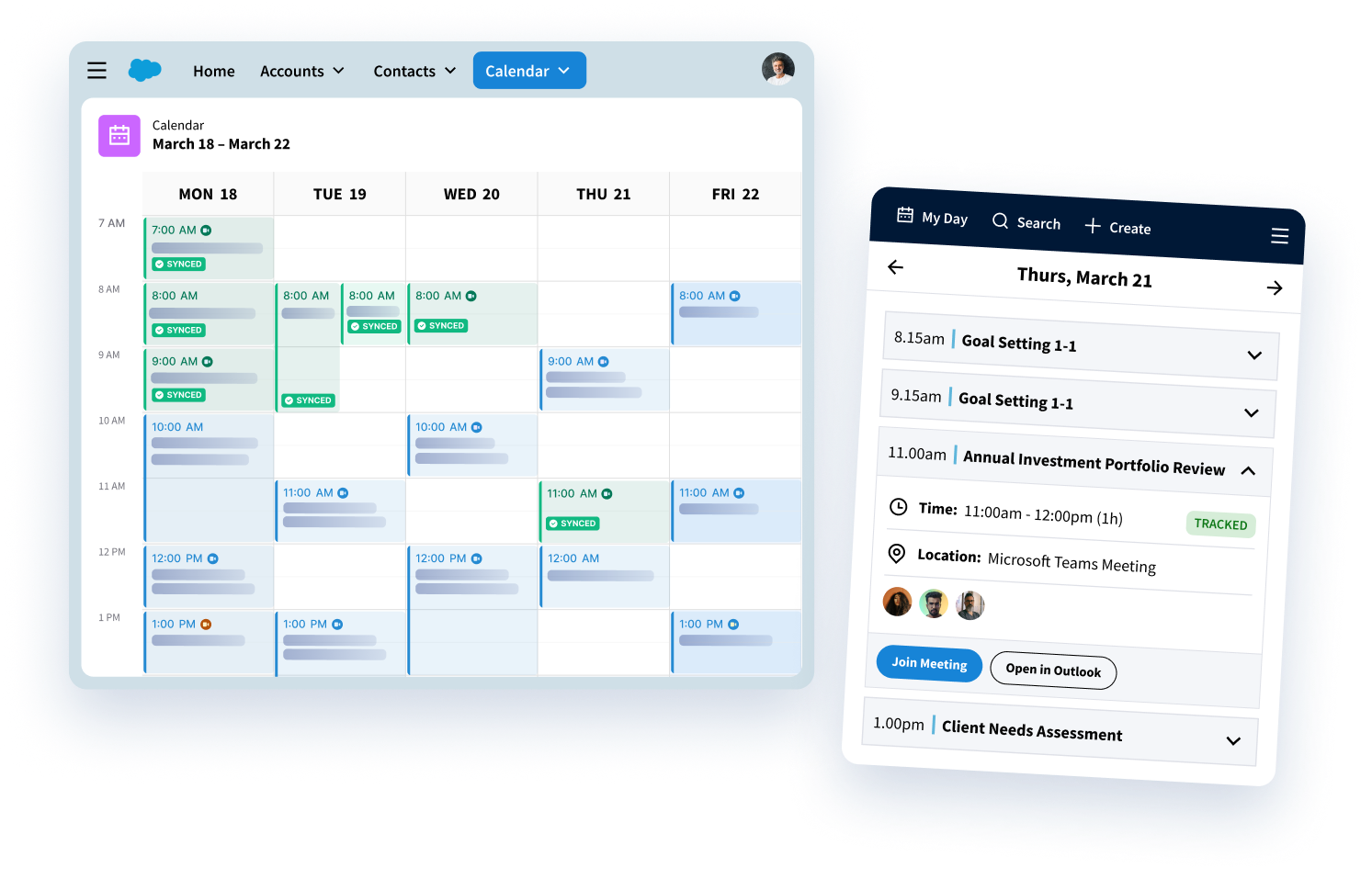
Connect meeting and participant data from your calendar to the right CRM records in real time, gathering essential customer data without any extra work.
Key capabilities:
- Bi-directional updates
- Configurable capture controls
- Sync recurring and complex events
- Map to custom objects
Contact Management
Contact Management
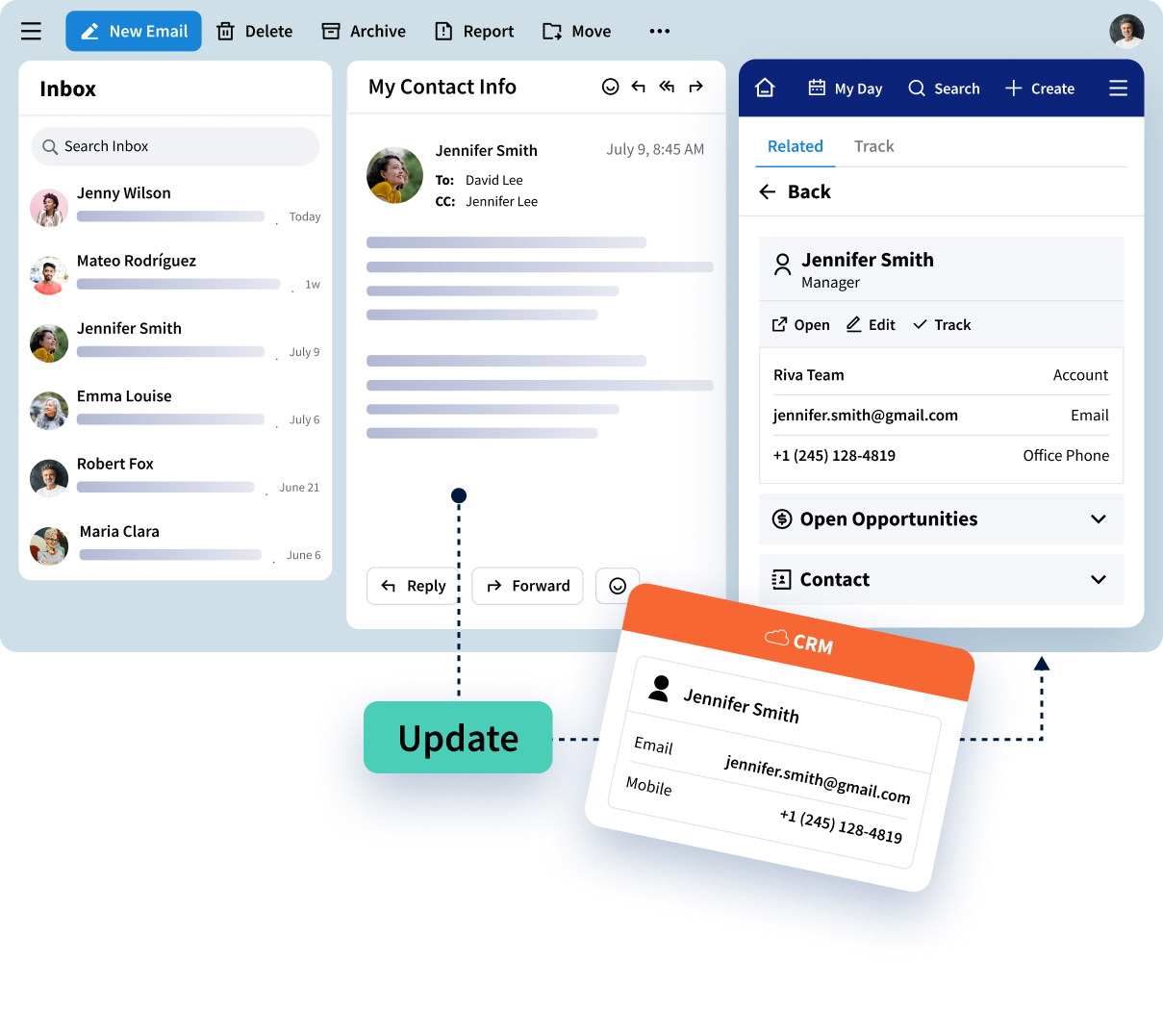
Keep your contacts connected and up to date across address books and your CRM. With policy-based controls and real-time updates, teams always have the right info, right when they need it. Key capabilities:
- Automatically update CRM records
- Intelligent contact sync
- Dynamic contact filters
Insight Side Panel
Insight Side Panel
Work with CRM records where you are every day, with no extra tabs or tool switching required. Bring customer intelligence into your inbox so you can work faster, better, and deliver for your clients.
Key capabilities:
- Create new CRM records from Outlook
- Access Riva AI
- View full customer context
- Relate data to additional contacts
- See email engagement data right in your inbox
Meeting Intelligence
Meeting Intelligence
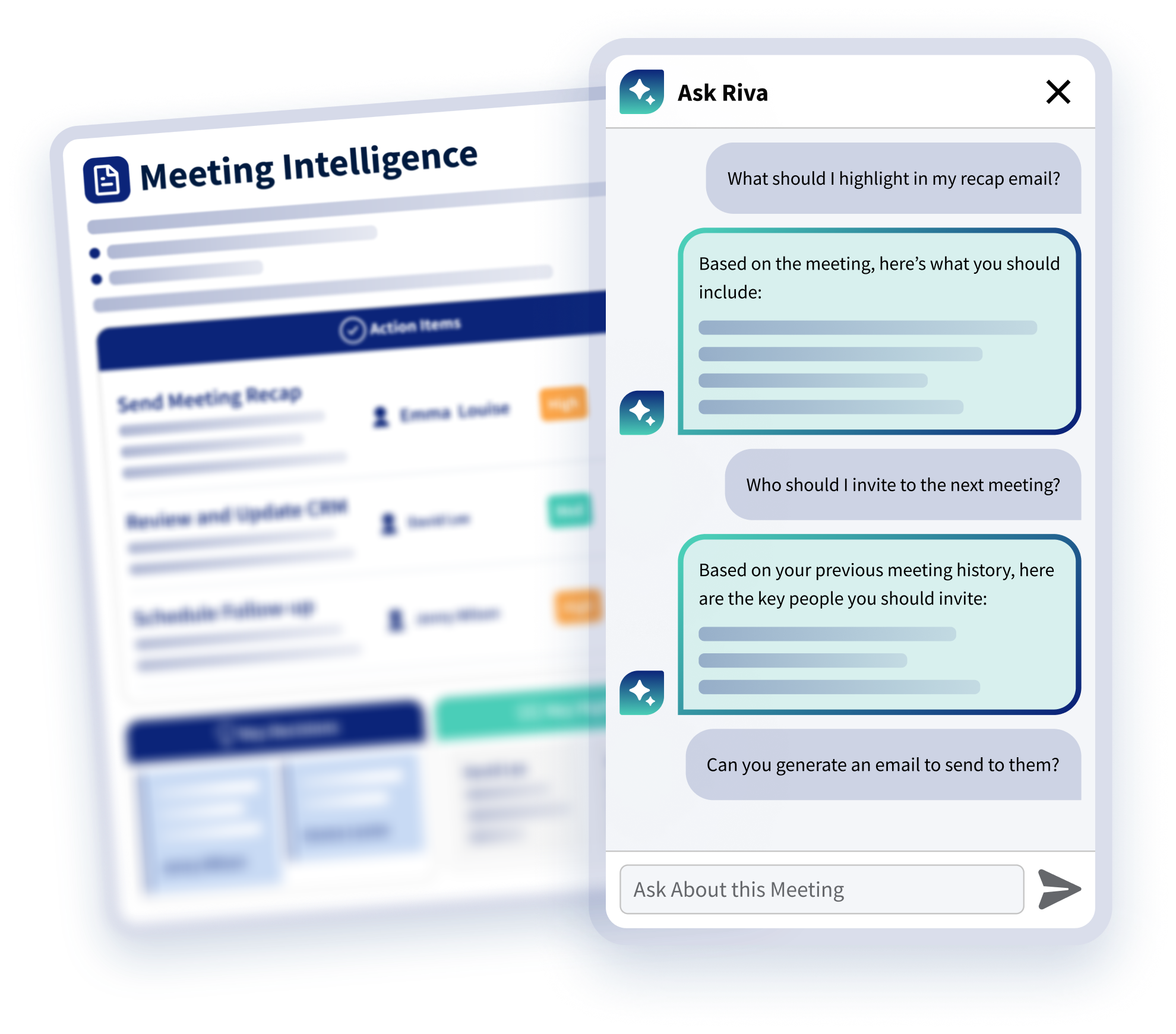
Turn approved meeting transcripts into structured summaries, decisions, and next steps that teams can review, edit, and connect to CRM.
- Capture transcripts from Teams and Zoom
- Apply governance to transcripts for data privacy
- Generate summaries and action items with AI
- Sync your AI-generated summaries to CRM

Sales Engagement
Email Bursts
Email Bursts
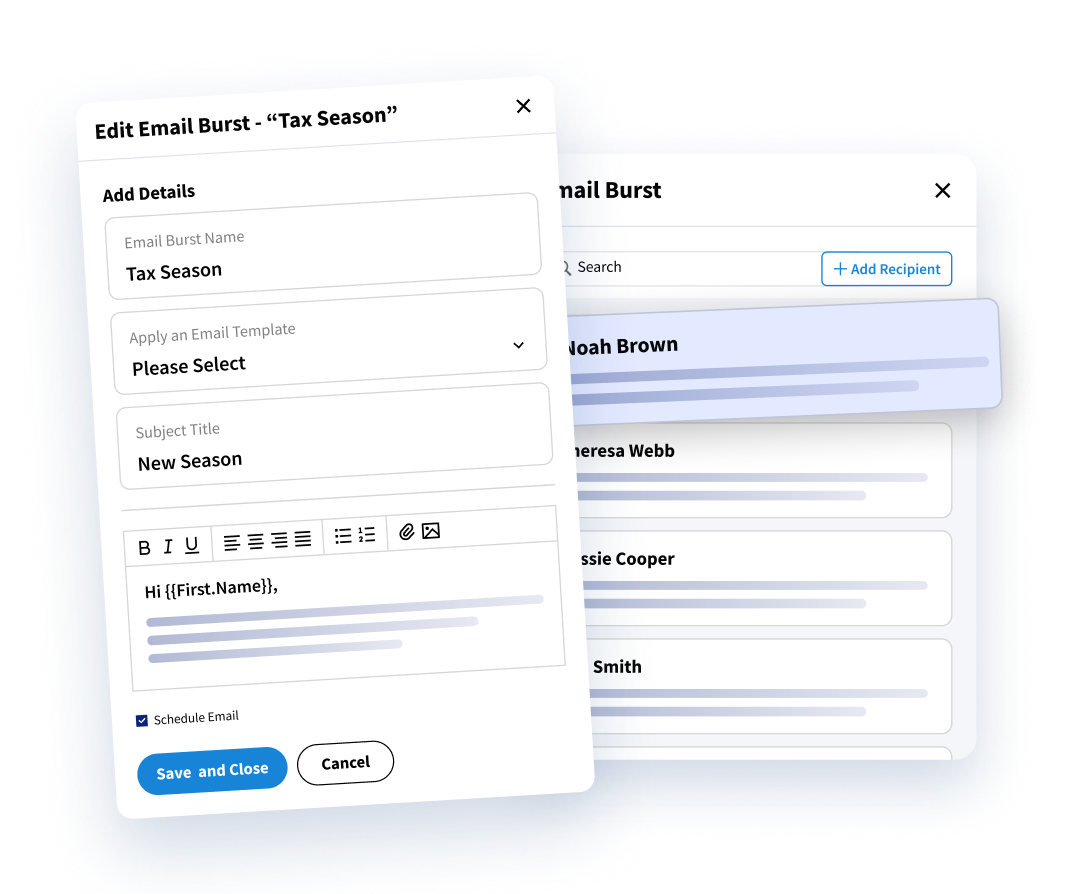
Reach more clients with one-to-many emails that feel one-to-one. Build lists, personalize with CRM data, and send directly from your inbox all without swapping tabs.
Key features:
- Build recipient lists intuitively with AI
- Personalize with CRM merge fields
- Use email templates
- Monitor progress and performance
Email Templates
Email Templates
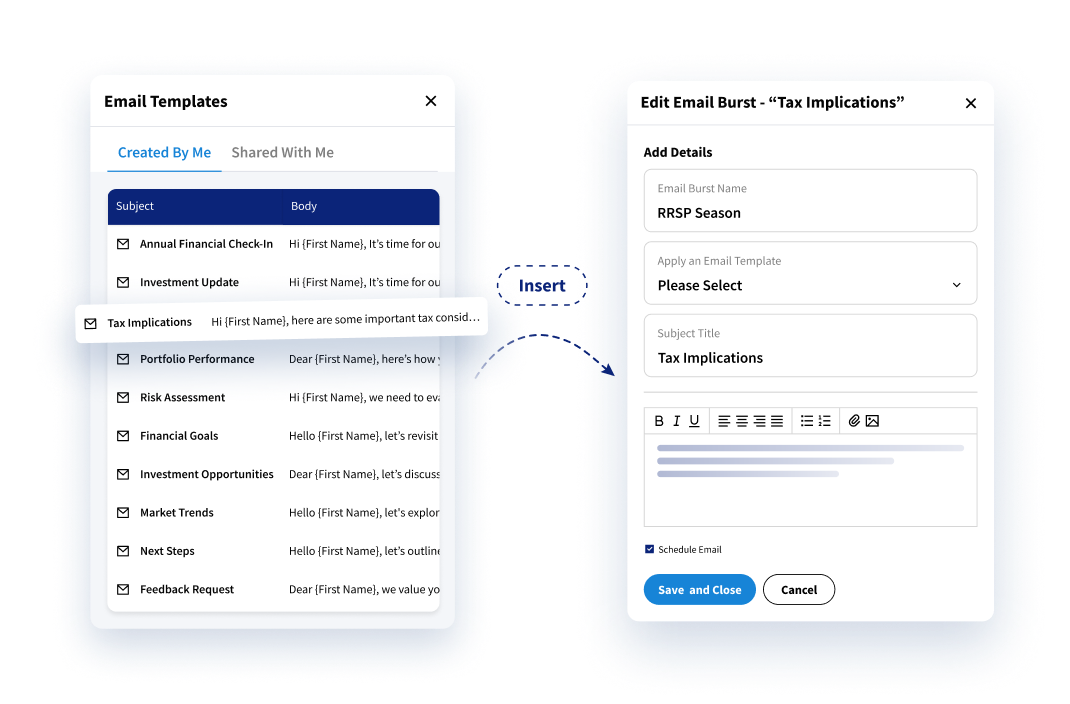
Keep communication consistent and effective. Build, personalize, and send proven templates right from your inbox using CRM fields to personalize each message.
Key features:
- Build and personalize templates
- AI-assisted drafting
- Team sharing and permissions
Sales Cadences
Sales Cadences
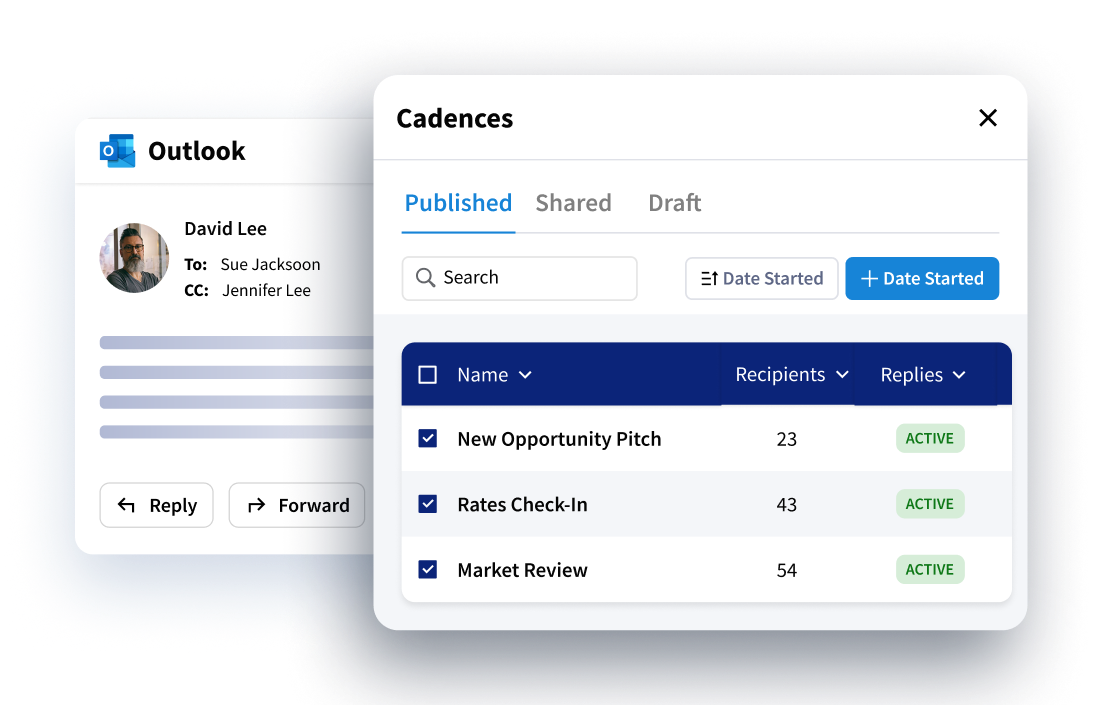
Create and send multi-step outreach from the inbox you already use. Build personalized sequences that move client conversations forward, without switching tools.
Key features:
- Launch cadences from Outlook
- Automation with business rules
- Multi-advisor sending
- Track performance to improve future outreach
Scheduling
Scheduling
Make it easy for clients to find time with the right person. Scheduling reflects live calendar availability and respects routing rules.
Key features:
- Set meeting types and availability
- Share personalized booking links
- Keep availability in sync
- Round-robin booking
Platform Features
Designed for Security, Intelligence, and Scale
Integrations
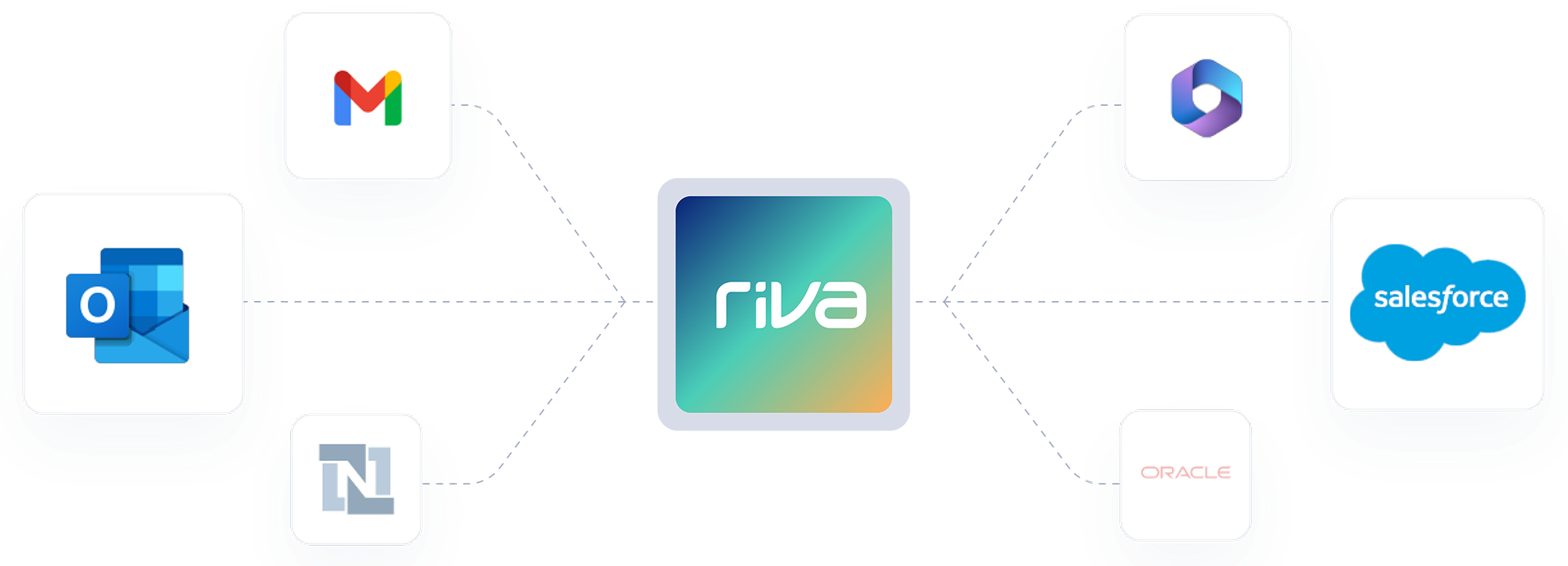
Most popular integrations
Customer Success Stories
How Leading Companies Boost Productivity and Performance with Riva

"Effortless! Our advisors don’t have to change the way they work – they aren’t even aware that Riva is wrangling our client data across applications in the background. They have data they can trust in the applications they work in every day – and they no longer have to re-enter data!"
Executive Vice President and Chief Information Officer, Leading Boston-based Hedge Fund Firm
View Success Story

"Like many institutions our size, we have a complex tech stack with both on-premises and cloud-based applications. We need our sync solution to easily manage our over 1.5M appointments each month, be effortlessly scalable and secure. We couldn’t afford to disrupt the way our advisors work. Riva is the only solution for us."
Senior Vice President and Chief Compliance Officer, Third largest US-based insurance company
View Success StoryQuestions? We Have Answers.
What does the Riva platform do?
What does the Riva platform do?
Riva captures emails, meetings, new contacts, and contact updates, then syncs them to the right files in your CRM. It keeps everything accurate, adds helpful context where your team works, and makes your CRM much more useful, including AI and business intelligence (BI) tools.
What tools does Riva work with?
What tools does Riva work with?
Riva connects directly with Salesforce (including Financial Services Cloud, Life Sciences Cloud, and Education Cloud), Outlook, and Microsoft Dynamics 365, syncing activity and contact data between your inbox, calendar, and CRM automatically. We can also support additional systems through standard integrations (e.g., NetSuite), but with no option for custom builds.
Can I update CRM records without leaving my inbox?
Can I update CRM records without leaving my inbox?
You can. Riva’s Insight side panel brings CRM context right into your email and calendar, so you can check details, make updates, or add new records without ever switching tabs. By default, it shows related records like Accounts, Contacts, Opportunities, Tasks, Emails, and Events. Admins can fully customize which objects and fields show up, which means your team always sees the most relevant info, exactly where they need it.
Does Riva support two-way sync and custom CRM fields?
Does Riva support two-way sync and custom CRM fields?
It does. Riva supports bi-directional sync and gives you complete control over what gets captured. It supports both custom and standard fields, and writes to standard Salesforce objects, like Tasks and Opportunities, so your data is always ready for reports, dashboards, and automation out of the box.
Is Riva secure, and can we choose how it gets deployed?
Is Riva secure, and can we choose how it gets deployed?
Absolutely. Riva is built for industries where privacy and compliance matter most. You can run it in the cloud, on a dedicated server, or on-premises, and you’re guaranteed the same secure, scalable, experience every time.
How configurable is Riva’s activity capture?
How configurable is Riva’s activity capture?
Very. Admins define capture policies that control what gets synced, in which direction, who can sync, and where it lands in CRM. You can filter by ownership/visibility, date ranges, and other criteria. You can also require an explicit user cue (e.g., a category or tag) before syncing, target standard CRM objects, and more.
Recommended Resources
Riva Maintains Exceptional Data Security Standards with SOC 2 Type II Attestation

4 Ways Relationship Intelligence Fuels Advisor and Sales Engagement

Riva Helps Bank Hapoalim Get the Big Picture of Clients, Create Smarter Interactions, and Gain Productivity

WealthTech100 Recognizes Riva International
Unlock Client Data. Elevate Client Experiences.