

AI meeting tools have made it easier to capture conversations. Teams can record calls, generate transcripts, and produce meeting summaries with less manual effort than ever before.
But more meeting content does not always mean better customer relationship management (CRM) data.
For CRM product owners, Salesforce admins, business systems analysts, and operations teams, the real challenge is not whether a meeting can be recorded but whether the information from that meeting becomes useful inside the systems where work happens.
A transcript may contain every word from a client conversation. An AI meeting summary may capture the broad topics discussed. But if that information is too long, inconsistent, disconnected from the right records, or unavailable in CRM workflows, it still creates work for the teams that need to use it.
Many organizations are shifting the conversation from AI meeting notes to CRM meeting intelligence for that reason.
The goal is not simply to capture what was said. Instead, teams are working to turn meeting content into structured, standardized, CRM-connected intelligence that can be trusted, searched, reported on, and used across enterprise workflows.
Why Do Raw Meeting Transcripts Fall Short?
Meeting transcripts are useful as a record of what happened. They can help teams review a conversation, confirm a detail, or revisit exact wording when needed. But transcripts were not designed to solve CRM data quality challenges.
A raw transcript is often long, messy, and difficult to scan. Important details may be buried across pages of conversation. Follow-ups may appear in passing. Risks, objections, decisions, or commitments may not be clearly labeled. Different speakers may use different terms for the same issue, making it harder to standardize reporting or handoffs.
For a sales, service, advisory, or client-facing team, that creates a familiar problem. The meeting happened, but the CRM record still does not reflect the most important context.
This matters in relationship-driven industries such as financial services, life sciences, and professional services. Client conversations often include decisions, next steps, risks, preferences, and commitments that need to be available beyond the person who attended the meeting.
When that context stays in a transcript, inbox, or personal notes document, the organization still depends on manual review and memory.
Standalone AI Summaries Are Not Enough
AI meeting summaries can reduce the burden of reading full transcripts. They can give teams a faster way to understand what was discussed. But a summary alone does not solve the CRM problem either.
The gap is usually not the summary itself. The gap is where the summary lives, how it is formatted, and whether it connects to the records and workflows that teams use every day.
A standalone summary may stay inside a meeting tool. It may be emailed to attendees but never added to the CRM. It may use a different format each time, making it harder to compare meetings or report on patterns. It may not connect to the right account, contact, opportunity, case, or other CRM object. It may also leave admins and business systems teams with another source of unstructured information to manage.
For AI meeting summaries to improve CRM data quality, they need to become part of the CRM operating model. That means structure, consistency, record linkage, activity context, and enterprise usability.
Assess Your Meeting Intelligence Readiness
Can your teams turn meeting conversations into trusted, CRM-ready intelligence?
Download From Meeting Notes to Meeting Intelligence: A Regulated Enterprise Guide to AI for Client Meetings to help your AI, CRM, compliance, security, and business teams evaluate how meeting context is captured, governed, reviewed, and connected to CRM.
Five Ways to Make Meeting Transcripts More Actionable in Your CRM
1. Structure the Output Around the Information Teams Need
A transcript captures everything. CRM users usually need the key information that helps them take action. That is why CRM-ready meeting intelligence should organize meeting content into practical categories, such as:
- Decisions made during the meeting
- Next steps and follow-up items
- Client questions or objections
- Risks, concerns, or blockers
- Commitments from internal teams or clients
- Important relationship or account context
This structure helps teams move from review to action. Instead of searching through a transcript to find what matters, users can see the information that supports follow-up, account planning, service continuity, and internal handoffs.
For CRM and business systems teams, structure also makes meeting data easier to manage. When the same types of information are captured in the same way, meeting intelligence becomes more useful across teams, records, and workflows.
Further Reading: The Hidden Cost of Reconstructing Customer Context Before Every Meeting
2. Standardize the Format Across Teams and Meetings
In many organizations, meeting documentation depends on the individual. One person writes detailed notes. Another adds a few bullet points. A third uploads a transcript but does not summarize it. Some teams update Salesforce. Others keep notes in documents, inboxes, or meeting apps.
This variation creates inconsistent CRM data.
Standardized meeting intelligence helps solve that problem by creating a repeatable format for meeting outputs. Teams can use the same summary structure, the same follow-up categories, and the same approach to capturing decisions, risks, and commitments.
For CRM admins and operations teams, standardization supports better adoption. Users do not need to guess where information belongs. Managers do not need to chase different formats. Business systems teams can build more reliable workflows when meeting information follows a consistent pattern.
Standardization also helps with scale. A single transcript may be manageable. Hundreds or thousands of meetings across client-facing teams are not. Consistent formats make meeting data easier to review, search, compare, and use over time.
3. Link Meeting Intelligence to the Right CRM Records
Meeting information becomes more valuable when it is connected to the right CRM context.
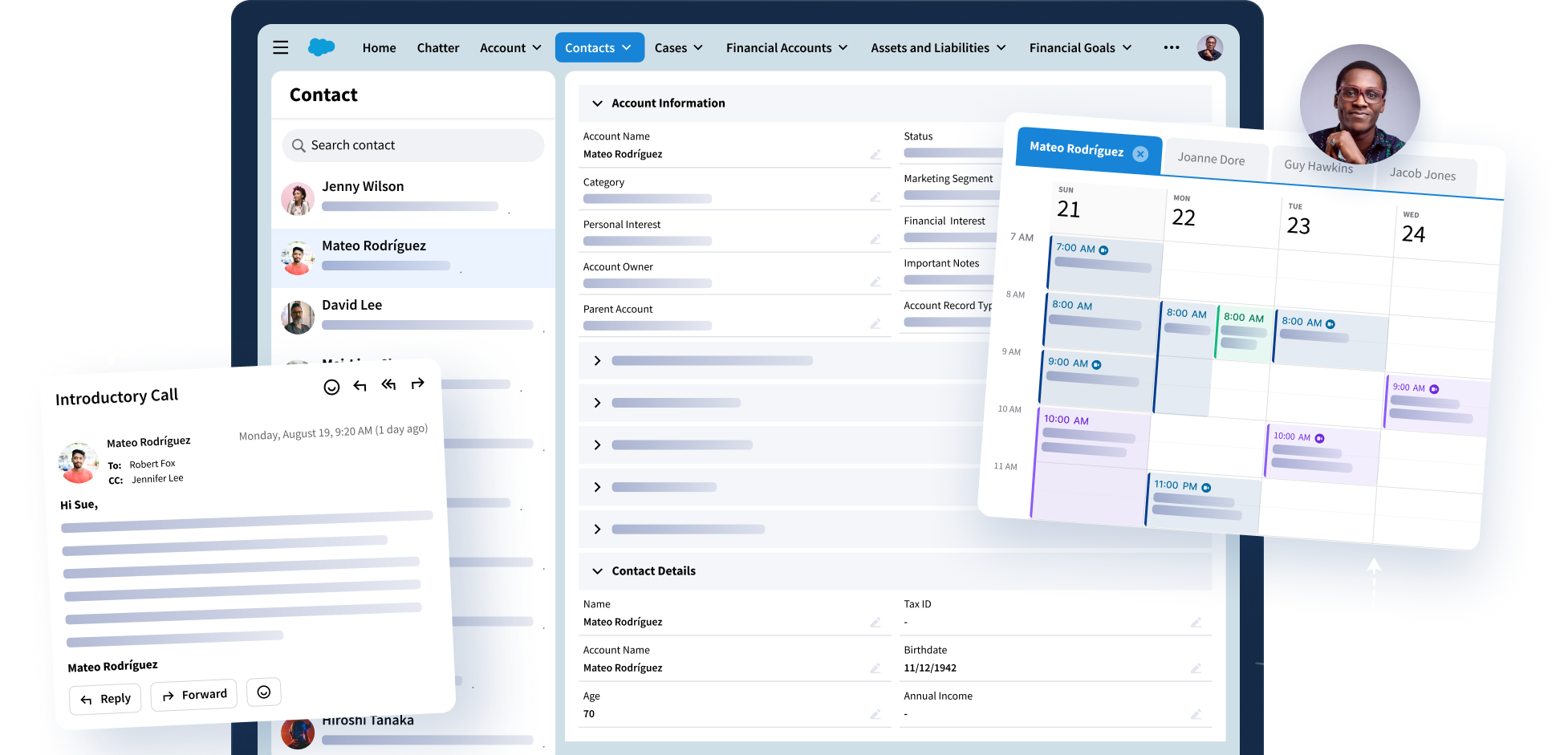
A useful meeting summary should not float outside the system of record. It should connect to the right accounts, contacts, opportunities, or other relevant CRM records so teams can see the latest client context where they already work.
That connection matters because meeting notes lose value when they sit outside the tools teams use every day. When summaries and notes are disconnected from Salesforce, users may need to copy and paste content manually, search across tools, or rely on meeting attendees to update the right records.
That manual step is where context often gets lost.
CRM-connected meeting intelligence helps reduce that gap. When meeting summaries, notes, and related context are linked to the right records, teams can see what happened, who was involved, what was decided, and what needs to happen next.
For account teams, that means better continuity. For managers, it means more complete visibility. For CRM owners, it means meeting data can support the broader system instead of creating another disconnected content source.
Recommended Reading: What Regulated Industries Need from AI Meeting Summary Tools
4. Connect Meeting Context to CRM Activity Data
Meetings are part of a larger client engagement history. They should not be treated as isolated events.
CRM activity data helps teams understand the full relationship timeline: emails, meetings, calls, tasks, follow-ups, and other client interactions. Meeting intelligence becomes more useful when it connects to that broader activity context.
For example, a meeting summary may show that a client raised a concern about timing. The activity timeline may show related emails, previous meetings, and follow-up tasks. Together, that context helps teams understand what happened before, what changed, and what needs attention.
This is where meeting intelligence can support more than documentation. It can help teams improve follow-through, reduce duplicate questions, and keep client-facing work aligned across roles.
For business systems teams, connecting meeting context to activity data can also support better CRM workflows. Meeting outcomes can inform tasks, follow-up processes, pipeline reviews, account planning, and service handoffs.
The value comes from making meeting data usable within the daily flow of work.
5. Make Meeting Intelligence Usable for Enterprise Workflows
A meeting summary may be helpful to one person. CRM-ready meeting intelligence should be useful across the organization.
That means the output needs to support enterprise workflows such as review, reporting, search, permissions, and operational follow-up. It also needs to be reliable enough for teams that depend on accurate client documentation.
In regulated and relationship-driven industries, documentation quality matters. Teams need clear records of client conversations, decisions, commitments, and follow-up items. They also need practical ways to make that information available to the right people without creating more administrative work.
Enterprise usability also depends on trust. Users are more likely to adopt meeting intelligence when the output is clear, consistent, and available in the CRM. Admins are more likely to support it when it fits existing systems and does not require constant cleanup.
Find What’s Blocking Your Meeting Intelligence Workflow
Where is your meeting intelligence workflow losing value, creating risk, or adding manual effort?
Use Riva’s quick online assessment to identify the gaps that may be limiting meeting capture, governance, output quality, CRM visibility, AI control, and relationship continuity.
Based on your results, you’ll see where your biggest risks and opportunities are, with guidance to help you improve meeting capture, strengthen governance, support human review, and connect trusted meeting intelligence to CRM.
From Transcripts to CRM-Ready Meeting Intelligence
Meeting transcripts are a starting point, and while AI meeting summaries are a useful layer, neither one automatically improves CRM data quality.
To make meeting content actionable, organizations need a more connected approach. Meeting intelligence should be structured around the information teams need, standardized across meetings, linked to the right CRM records, connected to activity data, and usable in enterprise workflows.
Riva Meeting Intelligence is designed to help teams turn raw meeting transcripts into structured, standardized intelligence that connects meeting context to CRM and activity data. Using approved Teams and Zoom recordings, Meeting Intelligence can help capture summaries and notes, support Salesforce sync for meeting outputs, and make decisions, risks, and commitments easier to find inside the systems teams already use.
For CRM product owners, Salesforce admins, business systems analysts, IT, and operations teams, this creates a more practical path forward.
The question is no longer whether meetings can be recorded or summarized. The question is whether meeting information can become trusted CRM context that supports follow-up, reporting, relationship continuity, and day-to-day workflows.
That is the difference between meeting content and CRM-ready meeting intelligence.
Book a demo to see how Riva can help you get more from your meetings.
Questions? We Have Answers
Why don't meeting transcripts and summaries automatically improve CRM data?
Why don't meeting transcripts and summaries automatically improve CRM data?
Transcripts and summaries capture meeting content, but they do not automatically make CRM data better. To improve CRM quality, meeting information needs to be structured, standardized, and connected to the right records. Otherwise, teams still rely on manual updates, copy-and-paste work, and individual memory.
What's the difference between AI meeting notes and CRM meeting intelligence?
What's the difference between AI meeting notes and CRM meeting intelligence?
AI meeting notes recap what happened in a meeting. CRM meeting intelligence turns that content into usable CRM context, such as decisions, risks, next steps, commitments, owners, and follow-up items linked to the right records.
Why is linking meeting data to the correct CRM records important?
Why is linking meeting data to the correct CRM records important?
Meeting data is more useful when it appears in the right account, contact, opportunity, case, or other CRM record. That connection helps teams understand what happened, who was involved, what was decided, and what needs to happen next without searching across tools.
How can AI meeting notes improve Salesforce adoption?
How can AI meeting notes improve Salesforce adoption?
AI meeting notes can improve Salesforce adoption by reducing manual CRM updates. When notes, decisions, and next steps are captured consistently and connected to Salesforce, users have more reason to work in the CRM and less reason to keep information in separate tools.
What makes meeting data actionable?
What makes meeting data actionable?
Meeting data becomes actionable when teams can use it to follow up, assign work, make decisions, and understand the customer relationship. That requires clear structure, the right CRM connections, and details such as next steps, risks, commitments, owners, and due dates.